Blogs
67 Minute
Odoo ERP Dashboard: The Ultimate Guide to Features, Setup and Smarter Decisions
It is the fifth of the month. The owner wants to know last month’s sales, how much cash is stuck with customers and which branch is losing money. Somebody in accounts opens three reports, copies figures into Excel and promises an answer by evening.
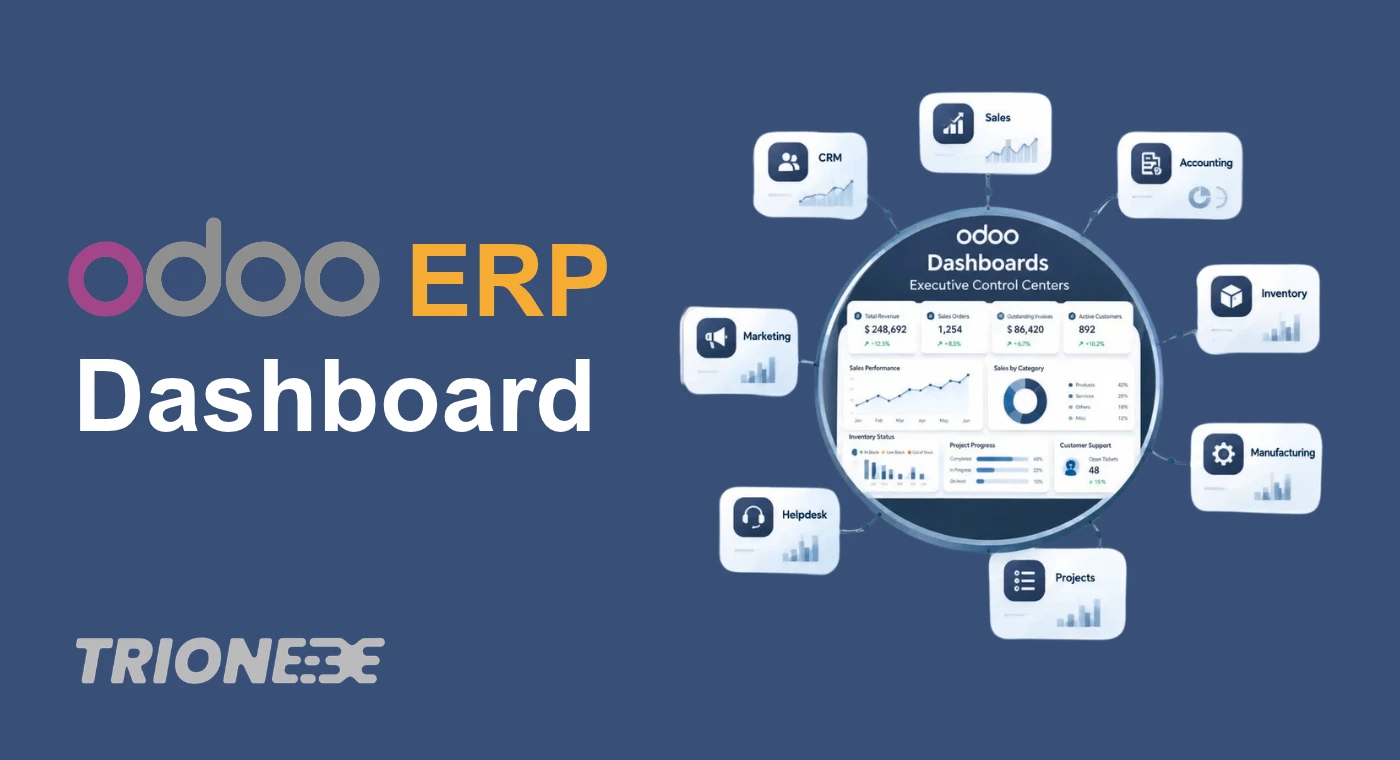
An Odoo ERP dashboard turns that half day of work into one screen that is already up to date. Because every app in Odoo writes to the same database, the dashboard reads sales, stock and accounting figures the moment they are entered.
In this guide we explain what the Odoo ERP dashboard is, what it shows, how to use it step by step and how to shape it around your own business. It comes from the team at Trionex, an Odoo Gold Partner in Lahore, and it answers the questions we hear most from business owners in Pakistan.
Quick Answer: The Odoo ERP Dashboard in 60 Seconds
- What is it? A live screen of charts, tables and key figures built from the data in your Odoo database.
- Where is it? In the Dashboards app, on the overview page of most apps, and in a personal board called My Dashboard.
- What does it show? Sales, pipeline, receivables, cash, stock, purchases, production, HR and more, each filtered by period, team or product.
- Can you customize it? Yes. You can filter and save views yourself, build new dashboards with Odoo Spreadsheet, or have a partner develop custom ones.
- Does it cost extra? Standard dashboards come with Odoo. Building and editing spreadsheet dashboards needs the Enterprise edition.
What Is an Odoo ERP Dashboard? A Clear Definition
An Odoo ERP dashboard is a screen that gathers the most important figures of a business in one place and keeps them current without anyone preparing a report. Odoo’s own documentation describes its Dashboards app as a tool to consult, customize and build interactive dashboards that show real time data from the database (Odoo documentation).
Think of the dashboard of a car. You do not open the bonnet to check the fuel. A good ERP dashboard does the same job for a company: speed, fuel and warning lights, at a glance.
The 5 Places You Will Find a Dashboard in Odoo
People use the word “dashboard” for several different screens. Knowing which is which saves a lot of confusion.
| Dashboard type | Where it lives | Best for |
| Home screen | The app menu you see right after signing in | Moving between apps quickly |
| App overview | The first page of apps such as Accounting, Inventory and Point of Sale | The daily work of one department |
| Reporting views | The Reporting menu of each app, as graph and pivot views | Digging into one question |
| Dashboards app | A separate app with ready made dashboards grouped by section | Managers and owners |
| My Dashboard | A personal board inside the Dashboards app | Your own saved views |
The home screen is what many people call the Odoo ERP interface dashboard. It holds no figures, only the icons of your installed apps, but it is where every working day starts.
When people talk about the Odoo ERP dashboard, they usually mean the Dashboards app, and it is the one this guide focuses on. Its dashboards are built on Odoo Spreadsheet, while My Dashboard is made from ordinary Odoo views that you pin for yourself.
What Is Odoo ERP Used For?
Odoo ERP is used to run the daily operations of a company from one system. Sales teams quote and invoice, warehouses receive and ship, accountants post and reconcile, HR manages attendance and payroll, and factories plan production. Each of these jobs is handled by one of the Odoo ERP modules, and all of them share the same records.
That shared database is exactly why the Odoo ERP dashboard works so well. A separate accounting package cannot tell you which salesperson brought the most profitable orders. An ERP can, because the order, the delivery and the invoice are linked.
Is Odoo a CRM or an ERP?
Odoo is an ERP that contains a CRM. The CRM app manages leads, opportunities and follow ups, and it is one of many apps in the suite alongside Sales, Inventory and Accounting.
You can use the CRM alone, and plenty of companies start that way. The moment you add Sales and Accounting, a won deal becomes a quotation, then an invoice, then revenue on the Odoo ERP dashboard. That chain is what makes Odoo an ERP and not only a CRM.
7 Powerful Ways an Odoo ERP Dashboard Helps Your Business
A well set up Odoo ERP dashboard earns its place in seven ways.
- Decisions in minutes, not days. The figures are live, so you stop waiting for month end to learn what happened in week one.
- Everyone looks at the same number. Sales and finance read revenue from the same invoices, which ends the “my sheet says something else” debate.
- Problems show up early. A late delivery count that climbs for three days is visible long before customers start calling.
- Cash stays in view. Receivables, payables and bank balances sit side by side, so you know what you can pay this week.
- Less reporting work. The hours your accountant spends building the monthly pack go back into chasing payments and checking costs.
- Each role sees its own picture. A branch manager sees one branch. The owner sees all of them.
- Targets become visible. When a team can see its own number every morning, that number tends to move.
Here is how it looks in daily life. A restaurant group with outlets across Lahore can compare yesterday’s revenue per outlet, average order value and discount rate before the morning briefing. Without an ERP system dashboard, that comparison usually arrives a week late, if it arrives at all.
Key Features of the Odoo ERP Dashboard You Will Use Every Day
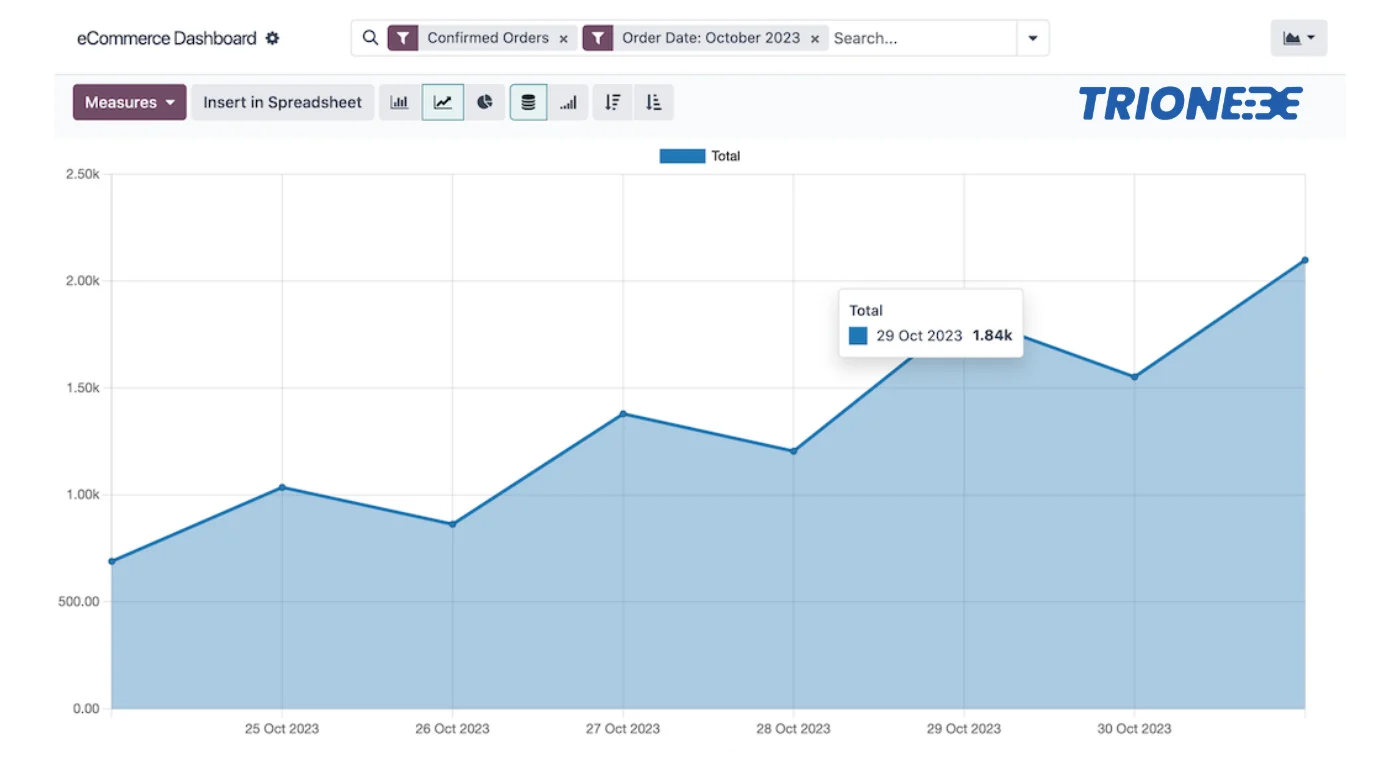
- Real time data. Every Odoo ERP dashboard is connected to data sources in your database and fetches the latest records whenever it is opened or refreshed.
- Ready made dashboards. Odoo ships standard dashboards for sales, CRM, finance, logistics, services, marketing, website and HR, so you have something useful on day one.
- Global filters. Dropdowns at the top filter the whole page at once, for example by period, salesperson, product or country.
- Click through to records. Click a figure or a chart and Odoo opens the orders or invoices behind it. Nothing is a black box.
- Charts, tables and key figures. Bar, line and pie charts sit next to top ten lists and headline numbers.
- Access by user group. You decide which groups can open each dashboard, and Odoo’s record rules still control what data each person sees inside it.
- Snapshots for outsiders. You can share a frozen copy of a dashboard with someone who has no access, such as an investor or an external auditor.
- Works beyond the desk. Dashboards open in a mobile browser as well as on a computer, which matters when the owner is rarely in the office.
These features are the same on any Odoo ERP software dashboard, whether it tracks a single shop or a group of companies.
Dashboards by Department: The Exact Numbers Each Team Gets
Each standard Odoo ERP dashboard belongs to a section. This table shows what the main ones track in recent Odoo versions.
| Dashboard | Headline figures | Who checks it |
| Sales | Quotations, orders, revenue, average order value, monthly sales | Sales manager, owner |
| CRM pipeline | Expected revenue, open opportunities, top salespeople and sources | Sales team |
| Accounting | Current income and expenses, receivables, payables, cash | Finance head |
| Invoicing | Invoiced amount, average invoice, days sales outstanding | Credit controller |
| Warehouse | Late deliveries, late receipts, open transfers | Warehouse manager |
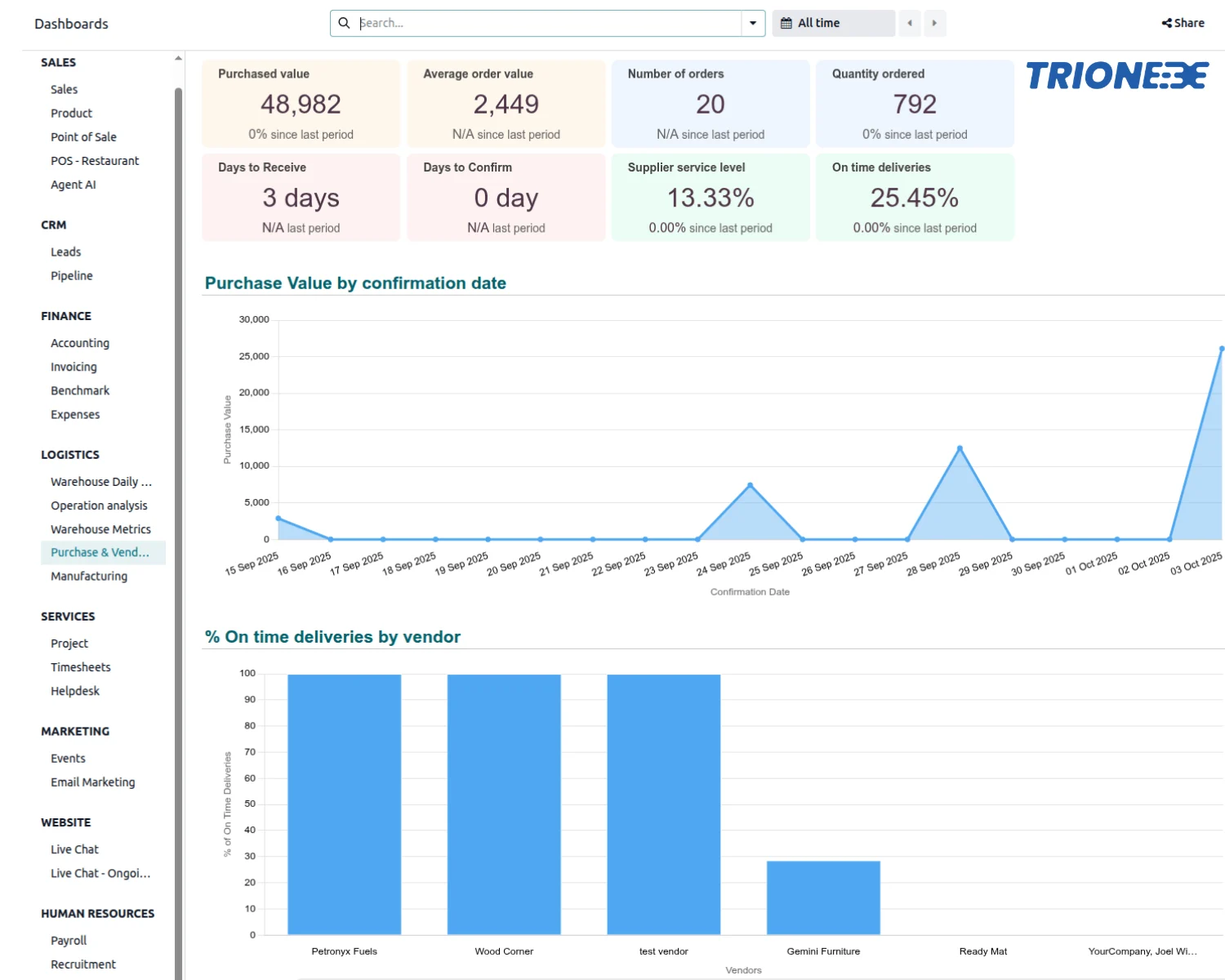
| Purchase | Purchased value, on time deliveries, days to receive | Procurement |
| Manufacturing | Orders, quantity produced, equipment effectiveness, cost per unit | Production head |
| Point of Sale | Orders, revenue, average order, top products | Shop and restaurant managers |
| Employees | Headcount, new hires, departures, turnover rate | HR |
The Odoo ERP Accounting Dashboard
Finance gets two views. Inside the Odoo Accounting app, the overview page shows a card for each journal: customer invoices waiting to be validated, unpaid and late amounts, vendor bills to pay and bank lines still to reconcile. It works as a to do list for the accounts team.
The second view is the Odoo accounting dashboard in the Dashboards app. It is built for management and shows income, expenses, receivables and payables with a month by month chart. If you open only one screen before a board meeting, the Odoo ERP accounting dashboard should be it.
Sales and CRM
The pipeline board is a dashboard in its own right. Every opportunity is a card with its expected revenue, and the column totals tell you what each stage is worth. The Sales dashboard then shows what actually closed.
Inventory and Purchase
The Inventory overview lists receipts, deliveries and internal transfers with counts of what is waiting and what is late. The purchase dashboard adds vendor performance, a figure most buyers never had before.
Point of Sale and Restaurants
For shops and restaurants, the Odoo ERP dashboard breaks revenue down by session, by hour and by product. Restaurant operators also get revenue per guest, a number that says more about a menu than total sales ever will.
How to Use the Odoo ERP Dashboard: A Simple Step by Step Guide
- Sign in. Open your Odoo login page, enter your email and password, and you land on the home screen.
- Open the Dashboards app. The left panel lists every dashboard you are allowed to see, grouped by section such as Sales or Finance.
- Pick a dashboard. Click its name and it opens in the main area.
- Set the filters. Use the dropdowns at the top to choose a period, a salesperson, a product or a country. The whole page updates together.
- Click into the detail. Select a figure or a bar in a chart to open the records behind it. This is how you move from “revenue is down” to “these four customers ordered less”.
- Save your own views. In any app, open Reporting, switch to the graph or pivot view, group the data the way you like and save it as a favourite. Then add it to My Dashboard so it is waiting for you tomorrow.
- Share it. Give access to a user group, or send a snapshot to someone outside the system.
That is all it takes to read an Odoo ERP dashboard. Building one is the next level.
How to Build an Odoo ERP Dashboard From Scratch
Building a new dashboard takes four moves. Create a spreadsheet in the Documents app, insert pivot tables, lists and charts from your Odoo data, add global filters, and then choose “Add to dashboard” to place it in a section.
Two rules from Odoo’s documentation are worth remembering. You need Dashboards admin rights plus Documents user rights to build one. And if you want to change a standard dashboard, duplicate it first, because standard dashboards are reinstalled at every version upgrade and changes made to the original are lost.
Odoo ERP Customization: 5 Ways to Get the Dashboard You Really Want
A standard Odoo ERP dashboard covers the common questions. Your business has uncommon ones. Here are the options, from lightest to heaviest.
| Option | Skill needed | Typical use |
| Filters and favourites | Any user | A saved view of overdue invoices by salesperson |
| Spreadsheet dashboards | A trained power user | A management dashboard mixing sales, stock and cash |
| Odoo Studio | A functional consultant | New fields and views that feed the dashboard |
| Custom module | Odoo developers | Tiles and logic that standard tools cannot produce |
| External BI tool | A data analyst | Combining Odoo with data from other systems |
Start with the first two. They cost little and survive upgrades well.
A custom module makes sense when the calculation itself is special. Examples are outlet sales against target with franchise royalty, tax invoice submission status, or production cost per piece across shifts. This kind of Odoo ERP customization is written in Python and JavaScript, and it should be tested on a staging copy before it reaches your live system.
External tools such as Power BI or Metabase are useful when Odoo is only one of several data sources. One practical point: Odoo Online does not give direct database access, so a BI tool has to read through the API there. On your own server, a read only database user is the cleaner route.
Is Odoo 100% Free? What You Get Without Paying
No, Odoo is not 100% free, but a useful part of it is.
- Odoo Community is open source and has no licence fee. You pay for hosting and for the people who maintain it.
- One App Free lets you run a single app on Odoo Online with unlimited users at no cost.
- Odoo Enterprise is a paid subscription per user. On the US price list the Standard plan starts at US$24.90 per user per month in the first year. Odoo prices by region, so check the figure shown for Pakistan on the Odoo pricing page.
For the Odoo ERP dashboard the difference is practical. In recent versions the ready made dashboards can be viewed in both editions. Odoo Spreadsheet, the tool used to edit them and build new ones, belongs to the Documents app in Enterprise. Community users who want custom dashboards usually rely on development or community apps instead.
Which Is Better, SAP or Odoo? An Honest Verdict
For most small and mid sized companies, Odoo is the better choice. For very large corporations with complex, regulated operations, SAP is usually the safer one. Neither is better in every case.
| Factor | Odoo | SAP |
| Founded | 2005, Belgium | 1972, Germany |
| Scale | About 28 million users | 99 of the world’s 100 largest companies are customers |
| Dashboards and reporting | Dashboards app and spreadsheet reporting inside the same system | Embedded analytics, with SAP Analytics Cloud as a separate product for advanced needs |
| Pricing | Published per user on odoo.com | Quoted case by case, usually through partners |
| Time to go live | Months for most mid sized firms | Often a year or more for large programmes |
| Best fit | Small and mid sized businesses and growing groups | Large enterprises |
On dashboards specifically, Odoo’s advantage is simplicity. A manager can open a ready Odoo ERP dashboard on the first day, and a trained user can build a new one without a developer. SAP’s analytics go deeper, but they take specialist skills and a larger budget to set up.
Which KPIs Belong on Your First Odoo ERP Dashboard?
The right numbers depend on the trade. These are sensible starting points, and five to seven tiles are enough for a first Odoo ERP dashboard.
| Business type | Start with these KPIs |
| Restaurant or cafe chain | Revenue per outlet, average order value, food cost percentage, discounts given |
| Retail and fashion | Sales per store, sell through by category, stock ageing, returns |
| Distribution | Receivables ageing, order fill rate, stock days, gross margin by product line |
| Manufacturing | Output against plan, scrap rate, cost per unit, late orders |
| Services and software houses | Billable hours, project margin, unbilled work, overdue invoices |
Whatever the industry, add one cash figure. Owners in Pakistan rarely lose sleep over revenue. They lose it over collections.
6 Costly Odoo ERP Dashboard Mistakes and How to Avoid Them
- Tracking too much. Twenty tiles are a report, not a dashboard. Choose five to seven numbers the owner really acts on.
- Trusting dirty data. If invoices sit in draft and receipts are not validated, revenue and stock will look wrong. The dashboard is honest. The data entry is not.
- Editing a standard dashboard directly. Your changes disappear at the next upgrade. Work on a duplicate.
- Ignoring access rights. A user may be able to open a dashboard and still see empty charts, because record rules hide the data. Test with a real user account before you announce it.
- Showing numbers without targets. Revenue of 4 million means little until it sits next to a target of 5 million.
- Building it once and forgetting it. Review every Odoo ERP dashboard each quarter. Drop what nobody opens and add what people keep asking for.
Why Work With Trionex, an Odoo Gold Partner in Pakistan
Gold is the highest level in Odoo’s partner programme. According to Odoo’s partnership agreement, a Gold Partner must bring in at least 300 new Enterprise users a year and keep at least six certified employees, and partner levels are reviewed regularly (Odoo partnership agreement).
For an Odoo ERP dashboard project, that experience shows in three ways:
- We start with questions, not charts. A short workshop with the owner and department heads decides which five to seven numbers matter.
- We fix the data first. Posting discipline, product categories and analytic accounts are checked before a single tile is built.
- We build for upgrades. Spreadsheet dashboards where they are enough, custom modules only where they are needed, and everything documented.
Our team is based in Lahore and works with restaurant chains, retail brands, internet service providers and manufacturers across Pakistan. The same consultants who configure your Odoo ERP modules train your managers to read and adjust each Odoo ERP dashboard themselves.
Final Word: Stop Compiling Reports and Start Reading Them
An Odoo ERP dashboard will not run your business for you. What it does is remove the delay between something happening and you knowing about it. Pick a handful of numbers, keep the data clean, and review the screen every morning. That habit is worth more than any chart.
If you want help choosing those numbers or building the dashboard around them, Trionex can do it with you. As an Odoo Gold Partner in Pakistan, we set up, customize and support Odoo for companies of every size.
Want to see your own figures on an Odoo ERP dashboard? Talk to the Trionex team and book a demo.
Frequently Asked Questions About the Odoo ERP Dashboard
What is an Odoo ERP dashboard?
It is a live screen of charts, tables and key figures drawn from your Odoo database. It shows numbers such as revenue, receivables, stock and pipeline without anyone preparing a report.
What is Odoo ERP used for?
Odoo ERP is used to manage sales, purchases, inventory, accounting, HR, manufacturing, point of sale and online selling in one system, so every department works from the same data.
Is Odoo 100% free?
No. Odoo Community and the One App Free plan have no licence fee, but running several apps on Odoo Enterprise is a paid subscription per user. Hosting, implementation and support also cost money.
Which is better, SAP or Odoo?
Odoo is usually better for small and mid sized businesses because it is cheaper, faster to implement and easier to adapt. SAP suits very large enterprises with complex, regulated operations.
Is Odoo a CRM or an ERP?
Odoo is an ERP that includes a CRM app. You can use the CRM alone or connect it with Sales, Inventory and Accounting to run the whole business.
How do I open the Odoo ERP dashboard after my Odoo login?
After you sign in, click the Dashboards app on the home screen. The left panel shows the dashboards you have access to. If the app is missing, ask your administrator to install it or grant you access.
Can I create my own Odoo ERP dashboard?
Yes. Any user can save graph and pivot views to My Dashboard. Users with the right access can build full dashboards from Odoo Spreadsheet, and developers can create custom ones.
Why does my Odoo ERP dashboard show wrong numbers?
Almost always because of the data. Draft invoices, unvalidated stock moves and missing categories distort the figures. Clean up the entries and the dashboard corrects itself.
Can an Odoo ERP dashboard connect to Power BI?
Yes. Power BI and similar tools can read Odoo data through the API, or through the PostgreSQL database on a self hosted system.
Does the Odoo ERP dashboard work on mobile?
Yes. An Odoo ERP dashboard opens in a phone or tablet browser, so owners can check sales and cash while travelling. Charts resize to the screen, though wide tables are easier to read on a computer.
Is the Odoo ERP dashboard available in Odoo Community?
In recent versions the standard dashboards can be viewed in Community. Editing them or building new spreadsheet dashboards needs Odoo Enterprise, because Odoo Spreadsheet is part of the Enterprise Documents app.