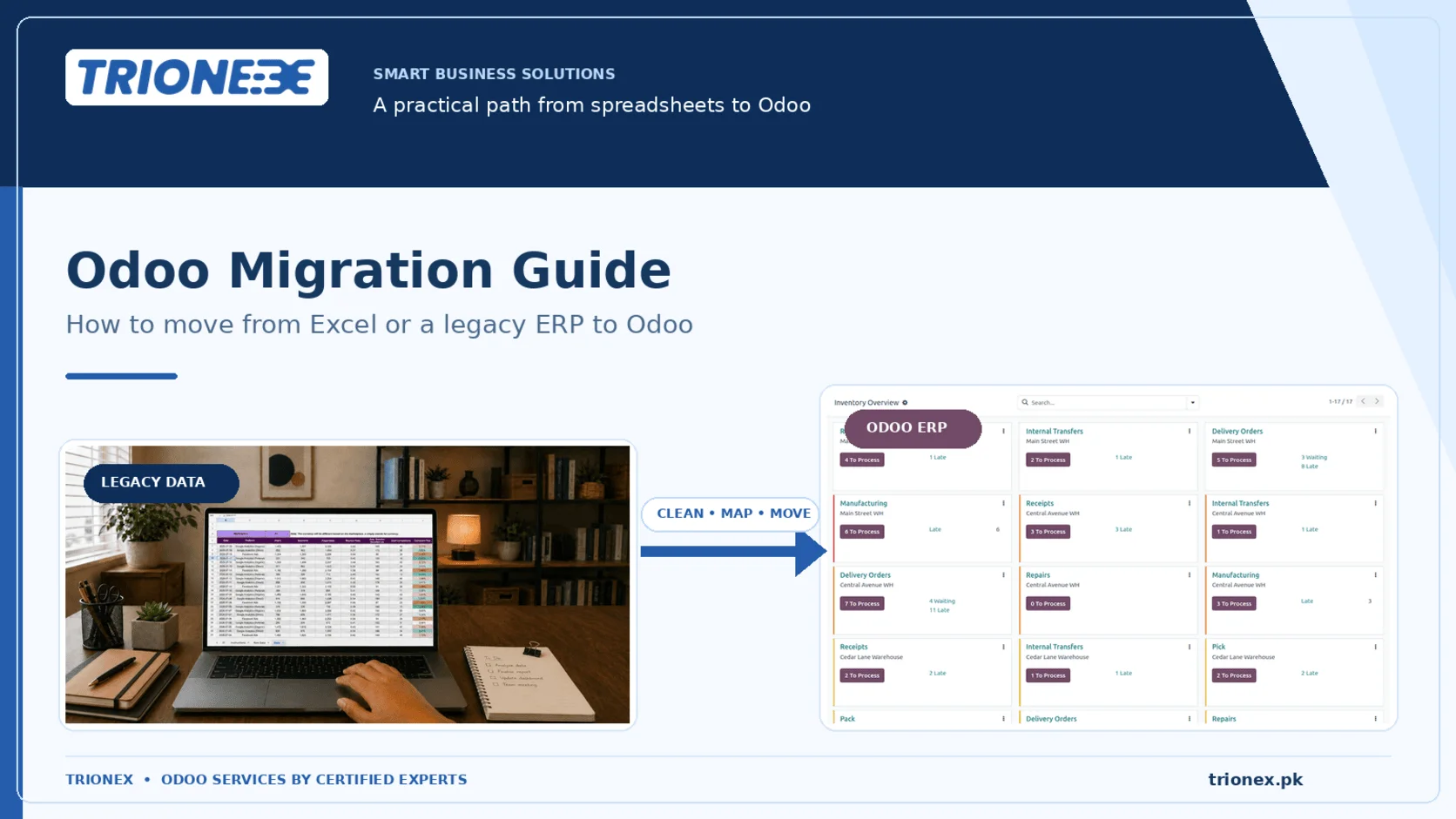
Short answer: Odoo migration means moving your business data out of spreadsheets or an old system and into Odoo, then rebuilding how your team works inside it. Moving from Excel takes 4 to 8 weeks. Moving from an older ERP takes 3 to 6 months. Most projects fail for one reason, and it is not technology. It is trying to move too much old data.
This Odoo migration guide gives you the full picture. What to move, what to leave behind, the exact order data must be loaded, real timelines and costs, and the checklist that decides whether your go-live is calm or painful.
Quick glossary: the seven words you will hear constantly
Read this once and the rest of the guide gets much easier.
| Term you’ll hear | What it means in plain words |
| Master data | Your lists. Customers, suppliers, products, accounts. The things that stay the same. |
| Transactional data | Your activity. Orders, invoices, payments, deliveries. The things that happen. |
| Migration | Moving your data from the old place to the new place. |
| Cutover | The exact moment you stop using the old system and start using Odoo. |
| Go-live | The first day everyone works in Odoo for real. |
| UAT | User Acceptance Testing. Your own staff test the system before go-live, using real data. |
| Hypercare | The support period right after go-live, usually 4 to 6 weeks, when problems appear. |
Do you actually need to migrate to Odoo?
Signs you have outgrown Excel
You do not need an ERP because Excel is bad. You need one when the spreadsheet stops helping and starts creating risk.
Check how many of these you recognise:
• Two or more people edit the same file and you get version clashes
• Your stock sheet and your actual warehouse count disagree by more than 3%
• Month-end closing takes more than five working days
• Nobody can tell you who owes you money without opening four files
• One person is the only one who understands a critical formula
• You type the same data into two systems
• There is a macro running that nobody has checked in over a year
Three or more? You are past the point where spreadsheets are cheaper than an ERP.
Signs you have outgrown your legacy ERP
Legacy simply means old. The system still runs, but it costs more to keep than to replace.
• The vendor has stopped releasing real updates
• A small change request is quoted in months and thousands of dollars
• There is no API, so every connection to another tool is a manual export
• It cannot connect to FBR digital invoicing or any tax authority system
• Staff cannot use it on a phone
• You pay 15% to 20% a year in maintenance for software that has not changed
In plain words: if your maintenance bill buys you nothing new, you are renting the past.
Excel migration and legacy ERP migration are two different jobs
People treat these as one topic. They are not. Different risks, different budgets, different timelines.
| Moving from Excel | Moving from a legacy ERP | |
| How long | 4–8 weeks | 3–6 months |
| Hardest part | Cleaning messy data | Getting data out of the old system |
| Data volume | Small but chaotic | Large and structured |
| Duplicate records | Bad. Usually 15–30% of your customer list | Moderate. Usually 3–8% |
| Written process docs | Almost never exist | Exist, but usually outdated |
| Main pushback from staff | “The sheet works fine” | “The old system did it differently” |
| Time spent cleaning data | 40–50% of the project | 20–25% of the project |
The surprising part: Excel projects are technically easier but have far worse data quality. An old ERP at least forced records to be consistent. A spreadsheet never did.
What to migrate to Odoo, and what to leave behind
This is the single most important decision in the whole project. Every extra year of history you drag across adds cleaning time, testing time and risk. It adds almost no day-to-day value.
Always migrate this
| What | Technical name (Odoomodel) | Plain explanation |
| Chart of accounts | account.account | Your list of accounting categories |
| Customers and suppliers | res.partner | Everyone you buy from and sell to |
| Products | product.template | Your catalogue |
| Units of measure | uom.uom | Pieces, kg, cartons, and how they convert |
| Open sales orders | sale.order | Orders you have taken but not yet delivered |
| Open purchase orders | purchase.order | Orders you have placed but not yet received |
| Unpaid customer invoices | account.move | Money owed to you |
| Unpaid supplier bills | account.move | Money you owe |
| Current stock on hand | stock.quant | What is physically in your warehouse today |
| Bills of materials | mrp.bom | Your recipes, if you manufacture |
| Opening trial balance | Journal entry | Your financial starting point |
Migrate only if you genuinely need it
- Past sales history. Twelve to twenty-four months maximum, and only if you need trend reports inside Odoo.
- Past purchase history. Twelve months, usually just for supplier performance.
- Serial and batch numbers. Only for stock you still hold or items still under warranty.
- Old CRM records. Take open opportunities. Leave deals you lost three years ago.
Do not migrate this
| What | Why not |
| Fully closed, fully paid old transactions | Keep the old system as a read-only archive instead |
| Customers with no activity in 2+ years | They will clog every search box forever |
| Discontinued products with zero stock | Same problem |
| Old account codes with zero balance | They appear in every dropdown menu, permanently |
| Bulk scanned documents and attachments | Move them only when someone actually needs one |
The rule: migrate what you need to run the business from day one. Keep the old system switched on in read-only mode for 12 months for everything else. This one decision usually removes 3 to 5 weeks from the project.
The Trionex 6-Phase Odoo Migration Framework
Every phase has an exit condition. The project does not move forward until that condition is met. No exceptions.
Phase 1 — Discovery (1–3 weeks)
We document how your business actually runs, not how the org chart says it runs.
You get: a process map, a list of all your data with record counts, and a gap list showing where standard Odoo does not match your way of working.
Exit condition: a signed scope document.
Phase 2 — Data cleaning (2–6 weeks)
We pull out all your lists, find the duplicates, fix the inconsistencies and fill the blanks.
In plain words: this is where someone goes through 4,000 customer records and finds that “ABC Traders”, “A.B.C. Traders” and “abc traders pvt” are the same company.
Exit condition: zero duplicates, zero broken links, every required field filled.
Phase 3 — Build (2–8 weeks)
We configure Odoo. Accounts, tax rules, warehouse flows, approval steps, and any custom work needed.
Exit condition: Odoo can process one complete transaction from start to finish in every process you use.
Phase 4 — Load and check (1–3 weeks)
We import your data into a test copy of Odoo. Then we reconcile. Then we fix and reload. Then we reconcile again.
Exit condition: your trial balance in Odoo matches your old trial balance exactly. Same for stock value, money owed to you, and money you owe.
Phase 5 — Testing and training (2–4 weeks)
Your own staff use the test system with real data. We train by job role, not by software module.
Exit condition: every department head signs off on their own process.
Phase 6 — Cutover and hypercare (1 week, then 4–6 weeks support)
We freeze the old system, load the final data, go live, and stay close during the settling-in period.
Exit condition: your first month-end closes successfully inside Odoo.
How to import data into Odoo (the correct order)
This part matters more than anything else technically. Odoo records point at each other. A sales order needs a customer and a product to already exist. Load them out of order and the import simply fails.
In plain words: you cannot write an address on an envelope before you know who it is going to.
The Odoo data import sequence
| # | Load this | Because it needs |
| 1 | Company setup and localization | Nothing |
| 2 | Chart of accounts | Company |
| 3 | Taxes and fiscal positions | Accounts |
| 4 | Payment terms | Nothing |
| 5 | Units of measure | Nothing |
| 6 | Product categories | Nothing |
| 7 | Customers and suppliers | Payment terms, tax positions |
| 8 | Products | Categories, units, taxes |
| 9 | Product variants | Products |
| 10 | Pricelists | Products, customers |
| 11 | Warehouses and locations | Company |
| 12 | Bills of materials | Products |
| 13 | Open sales orders | Customers, products, pricelists |
| 14 | Open purchase orders | Suppliers, products |
| 15 | Opening stock | Products, locations |
| 16 | Unpaid customer invoices | Customers, accounts, taxes |
| 17 | Unpaid supplier bills | Suppliers, accounts, taxes |
| 18 | Opening trial balance | Everything above |
| 19 | Bank statements | Accounts, customers, suppliers |
Two rules that prevent most Odoo import failures
Rule 1: Load opening stock as an Inventory Adjustment, never as stock moves.
Technical reason: an adjustment posts the correct valuation entry against the inventory adjustment account. Raw stock moves do not.
Plain reason: if you do it the wrong way, your quantities will look perfect and your stock value will be wrong. You will find out at month-end, and fixing it is painful.
Rule 2: Post your opening balances as one single balanced journal entry, after the unpaid invoices are loaded.
Plain reason: if you import unpaid invoices and also import the receivables total from your trial balance, you have counted the same money twice.
Odoo external ID explained (the trick that saves your project)
Technical definition: an external ID, also called an XML ID, is a unique text label Odoo stores next to each record. It lets you link records across import files and update existing records instead of creating duplicates.
Plain version: it is a name tag you stick on every record. Odoo uses the name tag to recogniserecords it has already seen.
Why it matters
During a real migration you will import your customer list four or five times. You import, you find mistakes, you fix the file, you import again.
Without external IDs: each import creates a brand new set of duplicates. By import number three you have 12,000 customers instead of 4,000.
With external IDs: Odoo sees the name tag, recognises the record, and updates it instead.
How to use them
Add a column called id to your CSV or Excel file. Put your old system’s reference number in it, with a prefix:
| id | name | |
| legacy_cust_1001 | Karachi Textiles Ltd | ap@ktl.example |
| legacy_cust_1002 | Lahore Trading Co | info@ltc.example |
Then in a related file, point at the customer using partner_id/id with the value legacy_cust_1001. Odoo connects them automatically.
Shortcut: export any list from Odoo with the “I want to update data” box ticked. The file comes out with the id column already filled in. Use that file as your template.
What replaces what — mapping your current tools to Odoo apps
| What you use today | Odoo app | What to watch out for |
| Sales tracking spreadsheet | Sales + CRM | Split it. Leads go to CRM, confirmed orders go to Sales |
| Stock register sheet | Inventory | Pick your costing method (FIFO, average, standard) before go-live. Changing it later is disruptive |
| QuickBooks | Accounting | Map to Odoo’s local chart of accounts rather than copying your old codes |
| Tally | Accounting | Export via XML. Check tax mapping carefully |
| Peachtree / Sage 50 | Accounting | Same approach |
| SAP Business One | Full Odoo suite | Extract via SQL query. Budget more extraction time than quoted |
| Microsoft Dynamics NAV | Full Odoo suite | Same |
| Purchase order book | Purchase | Set approval limits during the build phase |
| Production planning sheet | Manufacturing | Your bill of materials structure is the key decision. Design it properly |
| Attendance register | Employees + Attendance | Check payroll localization availability for your country |
| Customer support inbox | Helpdesk | Requires the Custom plan |
| Project tracker | Project + Timesheets | Map your existing stages first |
| Custom .NET or VB app | Usually standard Odoo+ Studio | A full rewrite is rarely necessary |
| Separate barcode or POS | Point of Sale + Barcode | Odoo POS works offline, which matters where internet is unreliable |
Cutover strategy — three ways to switch over
Cutover is the switch. Three options, and the choice changes your risk a lot.
| Approach | How it works | Best for | Risk |
| Big bang | Everything goes live on one day | Under 50 users, tightly linked processes | High. No fallback |
| Phased by module | Sales and Inventory first, Accounting next, Manufacturing last | Most mid-size companies | Medium |
| Phased by location | One branch first, then roll out | Multi-branch businesses | Low |
| Parallel run | Both systems run together for 1–2 months | Regulated industries, or nervous CFOs | Lowest, but doubles data entry work |
Our recommendation for most businesses: phased by module. And take Accounting live on the first day of a financial month.
Why the date matters: going live on the 17th splits one accounting period across two systems. Your first month-end close becomes twice as hard as it needs to be.
The cutover weekend, step by step
1. Stop all transactions in the old system at an announced time
2. Take the final data export
3. Import everything that happened since the test load
4. Load the final physical stock count
5. Post the opening balance entry
6. Reconcile four things: trial balance, receivables, payables, stock value
7. Finance lead signs off. This is a hard gate, not a formality
8. Open Odoo to all users
9. Switch the old system to read-only
Odoo migration timeline and cost
How long it takes
| Your situation | Users | Time needed |
| Excel to Odoo, basic | 5–15 | 4–6 weeks |
| Excel to Odoo, with manufacturing | 15–30 | 8–12 weeks |
| QuickBooks or Tally to Odoo | 10–25 | 10–16 weeks |
| Legacy ERP to Odoo, one site | 25–60 | 4–6 months |
| Legacy ERP to Odoo, multi-site | 60–200 | 6–12 months |
Where the time actually goes
| Phase | Share of project |
| Discovery | 10–15% |
| Data cleaning | 25–45% |
| Build and configure | 20–30% |
| Load and validate | 10–15% |
| Testing and training | 15–20% |
| Cutover | 5% |
Use this when comparing quotes. Data cleaning is the biggest single item and the one most often underpriced. If a vendor has allocated less than 20% of effort to data work, they have not thought the project through. Ask them directly.
Seven reasons Odoo migrations fail
Almost none of these are technical. They are decisions made in week two that hurt in month four.
1. Importing dirty data.
You load 4,000 customers with 900 duplicates. Your sales team stops trusting the system within a month. They go back to spreadsheets. You have paid for software nobody uses. Clean first. Always.
2. Rebuilding the old system inside Odoo.
“Our old system did it this way” is the most expensive sentence in any ERP project. Every customization costs money to build, money to test, and money again at every future upgrade. Use standard Odoo unless the process genuinely wins you business.
3. Skipping testing.
A demo where the consultant clicks through smoothly is not proof. Proof is a warehouse supervisor doing it themselves at 4pm under pressure. UAT is not optional.
4. Going live in the middle of a month.
Splits your accounts across two systems. Go live on day one of a financial period.
5. No single decision-maker.
If every small question needs a committee meeting, the project stalls. Name one person internally who can decide, and give them the time.
6. Training by module instead of by job.
A storekeeper does not need an accounting tour. They need to know how to receive stock, pick an order, and do a count. Train by role.
7. No support period after go-live.
The four weeks after launch produce more questions than the whole project before it. Budget for hypercare in writing.
Odoo migration in Pakistan — what generic guides miss
FBR digital invoicing. Odoo does not ship an FBR connector as standard. Local partners build and maintain it. Before you sign with anyone, ask to see their FBR integration working in a live client account. Not a slide. A live screen.
Pakistan localization. Odoo includes a Pakistan localization with local accounts and tax structure. Check sales tax, further tax and withholding are set up correctly for your sector before go-live, not during your first return.
Withholding tax on purchases. Section 153 withholding must be built into your supplier bill workflow. Setting it up during the build takes hours. Fixing it after six months of transactions takes weeks.
Provincial sales tax. SRB, PRA, KPRA and BRA each have their own rates. If you operate across provinces, you need separate fiscal positions configured for each.
Multi-currency for exporters. If you invoice in USD and report in PKR, set your exchange rate update method during setup. Manual rate entry turns into a reconciliation problem fast.
Internet reliability. Odoo Online and Odoo.sh are cloud systems. For factory floors and warehouses with patchy connections, plan around Odoo’s offline POS and barcode apps, or look at on-premise hosting, which needs the Custom plan.
Odoo go-live checklist
Print this. Do not launch until every box is ticked.
Data checks
- Trial balance in Odoo matches the old system exactly
- Customer receivables match, customer by customer
- Supplier payables match, supplier by supplier
- Stock quantities match the physical count
- Stock value matches the old system
- Open sales orders reconciled by count and value
- Open purchase orders reconciled by count and value
- Zero duplicate customers, suppliers or products
- Bank balances match statements
Setup checks
- Chart of accounts finalised and locked
- Every tax scenario tested on a sample invoice
- Financial year and periods configured
- Stock costing method confirmed and written down
- Approval workflows tested by the actual approvers
- Invoice and PO numbering sequences set
- Email configured and a test invoice successfully sent
Access checks
- Every user created with the right permission level
- Portal access set up for customers and suppliers (this is free)
- Full user versus light user allocation reviewed against real need
- Two-factor authentication on for finance and admin accounts
Readiness checks
- Every department head has signed off
- All staff have completed role-based training
- Printed quick-reference cards handed out
- Support escalation path written down and shared
- Backup and restore actually tested, not just switched on
- Old system set to read-only, access confirmed for 12 months
- Hypercare hours agreed with your partner in writing
Frequently asked questions
How long does an Odoo migration take?
Moving from Excel takes 4 to 8 weeks for most small businesses. Moving from an older ERP takes 3 to 6 months, and up to 12 months for multi-site companies. Data cleaning alone accounts for 25% to 45% of the timeline.
How much does Odoo migration cost?
A small Excel-to-Odoo project for 5 to 15 users typically costs $4,000 to $8,000 one-time. A legacy ERP migration for 25 to 60 users typically costs $15,000 to $35,000. Yearly support runs 15% to 20% of the implementation cost. Odoo licences are charged separately.
Can I import an Excel file straight into Odoo?
Yes. Odoo accepts CSV and XLSX files through the import button on most list views. But raw spreadsheets rarely work first time. You need to remove duplicates, standardise the formatting, match your column names to Odoo’s field names, and load files in dependency order.
How much history should I move into Odoo?
Move all open transactions. Move 12 to 24 months of history only if you need trend reports inside Odoo. Summarise everything older into opening balances and keep the old system read-only for reference. More history than this adds cost and risk without adding value.
What is an Odoo external ID?
A unique text label stored next to each record. It lets Odoo recognise records it has already imported, so re-importing a corrected file updates records instead of duplicating them. Add an idcolumn to your import files and your migration becomes repeatable.
Will migrating to Odoo disrupt my business?
Expect one to two slower days around the cutover weekend and about four weeks of extra questions afterwards. Anything worse than that points to insufficient testing or training. A phased cutover reduces disruption further.
Can Odoo fully replace my old ERP?
For most small and mid-size businesses, yes. Odoo covers sales, CRM, purchasing, inventory, manufacturing, accounting, HR, projects and point of sale in one system. Exceptions exist in highly specialised process manufacturing and some regulated industries.
Is Odoo better than QuickBooks or Tally?
They solve different problems. QuickBooks and Tally are accounting tools. Odoo is a full business system where accounting is one part. If your only need is bookkeeping, Odoo is more than you need. If you also run inventory, purchasing, sales and production, Odoo removes the gaps between them.
What happens to my old system after migration?
Keep it read-only for at least 12 months, longer if the law requires it. Do not switch it off immediately. Do not run both systems fully in parallel for long, because dual entry is unsustainable and the two sets of records will drift apart.
Should I move everything at once or module by module?
Module by module is safer for most mid-size businesses. Sales and Inventory first, Accounting next, Manufacturing last. Big bang works under about 50 users where processes are tightly linked. Either way, take Accounting live on day one of a financial period.
What is the number one cause of failed Odoo migrations?
Bad data at import. Duplicated and incomplete records destroy staff trust within weeks, after which everyone returns to spreadsheets. Second place goes to over-customization driven by copying the old system instead of adopting standard Odoo.
Talk to Trionex about your Odoo migration
Trionex is Certified Best Odoo Partner in Pakistan and has been working in Fashion Retail, Restaurants, Manufacturing, Distribution and other industries. We have recently migrated Odooversion for Sadapay and Tim Hortons with successful outcomes.
Trionex runs Odoo migrations using the 6-Phase Framework in this guide. Every phase has a written exit condition, and no go-live happens without a full reconciliation sign-off.
Start with a free migration readiness assessment. We audit your current data, map your processes, and hand back a scoped timeline and a fixed-price quote. No obligation to proceed.
Tagged with :