Projects become difficult when work is spread across emails, spreadsheets, chat messages, separate time trackers, and an accounting system that only receives the final update. At that point, managers cannot see the real status of delivery, employees lose time looking for the latest instructions, and finance has to ask for information before an invoice can be prepared.
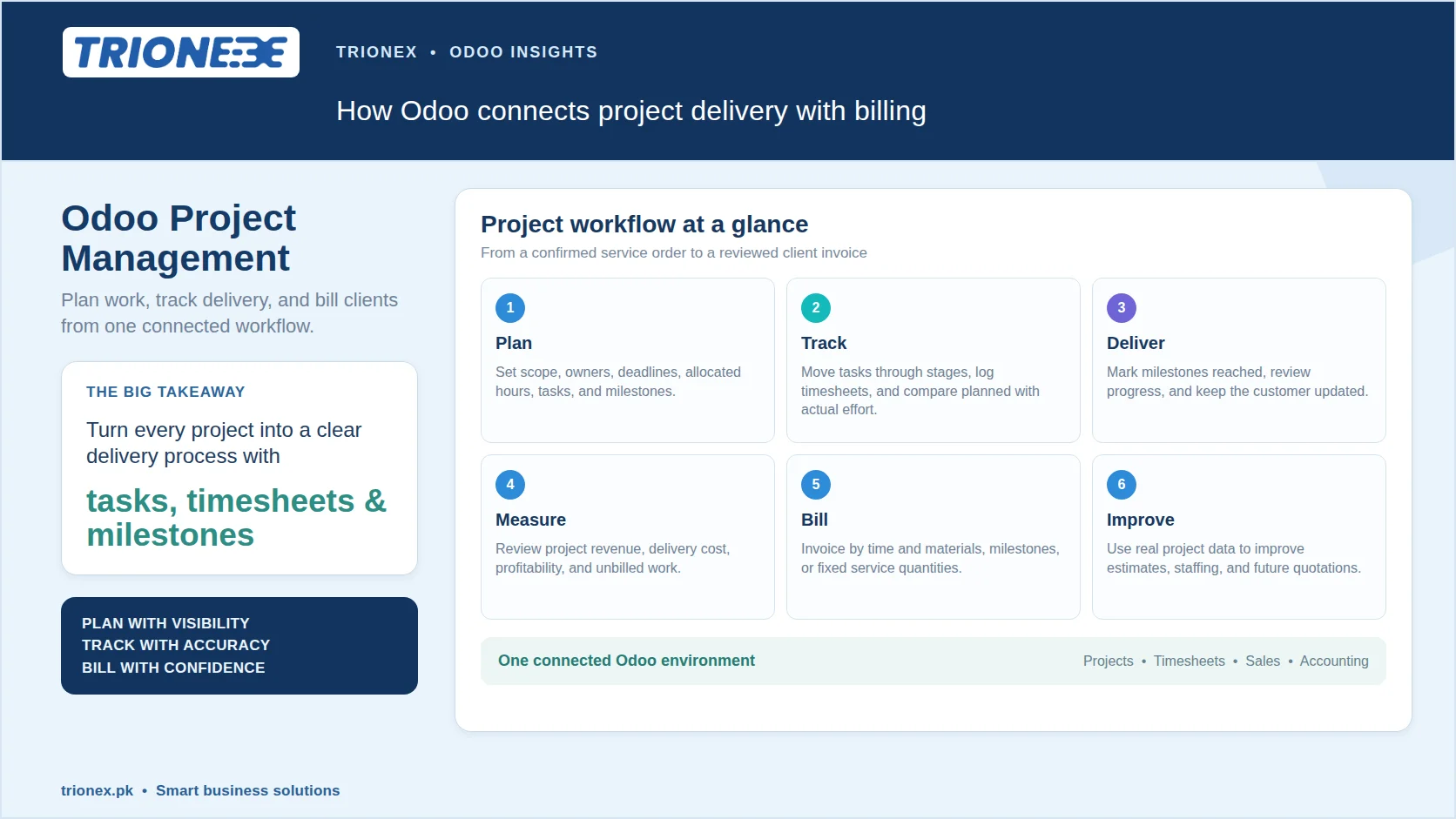
Odoo Project Management brings these operational steps into one connected workspace. A business can create a project from a confirmed service order, divide the work into tasks, assign responsibilities, set deadlines, record timesheets, manage milestones, and connect delivered work with invoicing. It links what was sold, what is being performed, hours used, and what should be billed. These capabilities sit alongside the wider Odoo modules used across sales, accounting, inventory, and service operations.
For consulting firms, software houses, marketing agencies, construction businesses, IT service providers, interior designers, and other project based companies, this connection makes a direct difference to control and profitability. Here is how Odoo Project can be planned and configured around the way a business actually delivers work.
How does Odoo Project Management work?
Odoo Project Management organises each engagement as a project containing tasks, stages, milestones, assigned users, deadlines, and related commercial records. The Project app uses a Kanban based workflow, so teams can see work according to its stage, such as New, In Progress, Waiting for Client, Review, or Done.
A project can be created manually or generated from a service product on a sales order. Its settings can include the customer, project manager, planned dates, allocated hours, company, tags, and visibility rules. A project may be private for an internal team, available to all internal users, or shared with selected portal users and clients. This is one reason careful Odoo implementation matters: the workflow should reflect the way the business sells and delivers services.
How should a project be planned in Odoo?
A project should be planned by defining the scope first, then converting that scope into clear tasks, owners, dates, hours, and milestones. Creating a board without defining the delivery model usually produces a well organised list that still misses the business objective.
A practical planning process looks like this:
- Create or confirm the project scope and customer details.
- Define the major deliverables and acceptance criteria.
- Add milestones for meaningful phases or client approvals.
- Break each milestone into tasks and, where needed, subtasks.
- Assign every task to a responsible user.
- Add planned dates, deadlines, priorities, and allocated hours.
- Attach the relevant brief, quotation, design, contract, or technical document.
- Decide how time, expenses, materials, and milestones will be billed.
For repeatable work, project templates can save considerable setup time. An agency may have templates for website development, monthly marketing retainers, or branding projects. An implementation partner may maintain templates for discovery, configuration, data migration, training, testing, and go live. Templates help standardise the starting point while still allowing the project manager to adjust the plan for each client. Businesses moving from another ERP can also plan the delivery alongside Odoo migration and upgrades.
How are tasks and milestones tracked?
Tasks track the work that people perform, while milestones track the outcomes or phases that matter to the client and the business. Mixing the two creates unclear reporting. A task might be “configure inventory routes,” while a milestone could be “inventory workflow approved.”
Odoo tasks can include a description, assignee, followers, tags, planned hours, deadlines, subtasks, customer details, attachments, and chatter updates. The chatter provides a record of communication and activity around the task, which is more dependable than relying on a private message that other team members cannot see.
Milestones are useful for approvals, releases, inspections, design sign offs, installation stages, or payment points. A project manager can mark a milestone as reached when the agreed condition has been met. In a service business, that status can also update the delivered quantity on a related sales order when milestone based invoicing is configured.
This creates a useful management habit: do not report that a project is “almost complete” without defining what completion means. Use tasks for effort and milestones for verifiable progress.
How does Odoo track employee time?
Odoo Timesheets records time against a project and, where appropriate, against a specific task or sales order item. Employees can use a timer, enter time manually, or log time directly from a project task. Managers can review, edit, and validate entries according to access rights.
Time tracking is valuable for more than payroll or client billing. It helps a project manager compare planned hours with actual hours, identify tasks that consume disproportionate effort, and understand whether estimates are realistic. Over several projects, this information improves future quotations and resource planning.
For accurate reporting, teams should agree on a simple timesheet policy. Employees should record time on the day it is worked, select the correct task, and describe the activity clearly enough for a manager or client to understand it. The project should also have timesheets enabled, and users must have the appropriate employee and access configuration.
A timesheet should not be treated as a surveillance tool. Used properly, it protects both sides. The client receives a clearer account of billable work, while the delivery team has evidence of effort that may otherwise be invisible.
How can project managers monitor performance?
Project managers can monitor performance by comparing planned hours, logged hours, deadlines, task status, milestone completion, and project profitability. A completed task count alone is not enough. Ten small tasks may be finished while the most important deliverable is still blocked.
Useful questions include:
- Which tasks are overdue or approaching their deadline?
- Which team members have more work assigned than their available capacity?
- How many planned hours have been consumed?
- Is the project waiting on an internal decision or a client response?
- Has the next milestone been delayed by an unfinished dependency?
- Are unplanned activities being logged and reviewed?
- Is the project revenue still aligned with its delivery cost?
Odoo project reporting and profitability views help bring these questions together. Depending on the enabled applications and configuration, managers can access timesheets, sales orders, invoices, documents, dashboards, and reporting directly from the project’s top bar. That shortens the distance between an operational issue and a management decision.
How does Odoo connect projects with sales?
Odoo connects a project with sales through service products, sales orders, project creation rules, and sales order items used for delivery and billing. This connection should be designed before the first quotation is sent, not after the team begins work.
A service product can be configured to create a project, a project and task, or a task when a sales order is confirmed. A project template may also be selected so that standard stages, tasks, and milestones are available from the start. The sales order remains the commercial reference, while the project becomes the delivery reference.
This is particularly useful when a business sells different types of services. A fixed scope implementation may need milestone billing. A support contract may need timesheet based billing. A recurring retainer may need a planned service schedule and regular invoicing. Each model can be configured according to how the customer has agreed to pay.
How does Odoo bill project work?
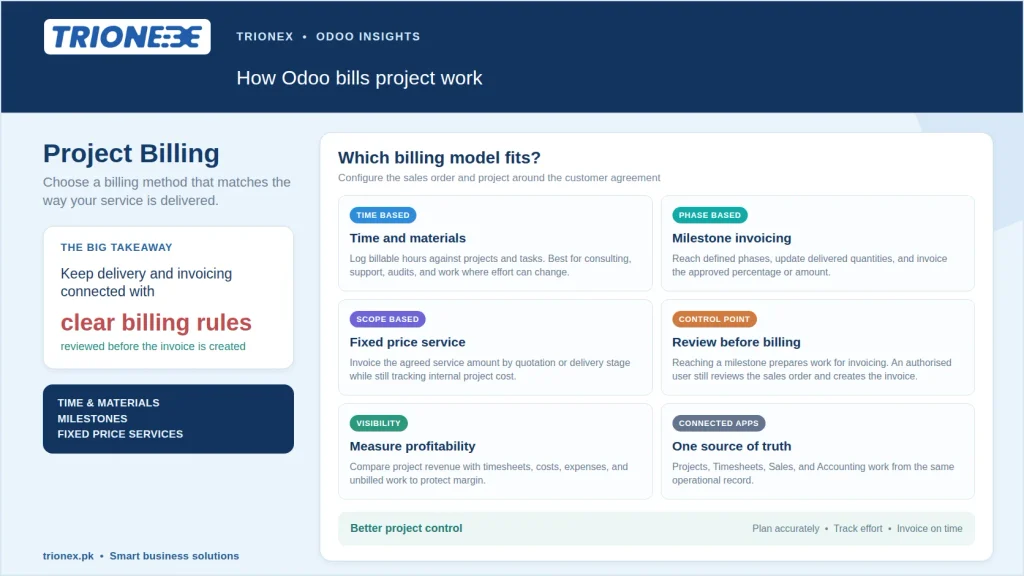
Odoo can bill project work based on time and materials, milestones, fixed service quantities, or another configured sales policy. The correct option depends on the commercial agreement, not on which option is easiest to select in the system.
For time and material work, employees log billable hours against the relevant project and task. Those hours can be associated with a sales order item and reviewed before an invoice is created. This model suits consulting, technical support, audits, and professional services where the final effort may change.
For milestone billing, the service product is configured with an invoicing policy based on milestones. The sales order can define the percentage or amount linked to each milestone. When a milestone is reached in the project, the delivered quantity on the sales order is updated and the related amount becomes ready for invoicing. Reaching the milestone does not create the invoice by itself. The responsible user reviews the sales order and creates the invoice through the normal accounting workflow.
For fixed price services, the business can invoice the agreed amount according to the quotation or defined delivery stages. The project still needs timesheets and cost tracking even when hours are not billed to the client. Internal effort is necessary for understanding margin and improving future estimates. This connected operational approach is also why businesses often compare Odoo with standalone accounting tools in guides such as Odoo vs QuickBooks.
Is Odoo Project Management suitable for Pakistani businesses?
Odoo Project Management is suitable for Pakistani businesses when it is configured around local operations, customer contracts, team responsibilities, and accounting requirements. Service providers in Pakistan often manage projects across Lahore, Karachi, Islamabad, and international markets, with teams working remotely and clients expecting frequent progress updates.
A connected Odoo setup can bring project delivery closer to CRM, Sales, Accounting, Employees, Documents, Helpdesk, and other business applications. Trionex’s Odoo services in Pakistan can help businesses map their current processes, configure the relevant Odoo apps, develop required integrations, migrate data, train users, and provide ongoing support.
How can Trionex help with Odoo Project Management?
Trionex helps businesses implement Odoo Project Management around their actual services, approval flows, billing rules, and reporting needs. As an Odoo implementation and development partner in Pakistan, Trionex can support project discovery, configuration, custom module development, integrations, migration, user training, and long term technical support.
A strong implementation begins with process discovery rather than screen configuration. We review how your team sells work, assigns resources, handles client communication, measures progress, tracks time, approves deliverables, and prepares invoices. We then translate those requirements into a practical Odoo workflow that users can follow every day.
If your business is managing projects through spreadsheets, disconnected time trackers, or manual invoice requests, contact Trionex at info@trionex.pk or +92 311 4994809 to discuss your requirements. A better project workflow starts with visibility from the first task to the final invoice.
Frequently asked questions
Can Odoo create a project from a quotation?
Yes, Odoo can create a project, project and task, or task from a confirmed sales order when the service product is configured for that workflow. Project templates can also provide standard stages, tasks, and milestones.
Can Odoo invoice hours worked on a project?
Yes, Odoo can invoice billable timesheets when hours are linked to the appropriate project, task, and sales order item. The entries can be reviewed before the invoice is created.
Does reaching a milestone create an invoice automatically?
No, reaching a milestone updates the delivered quantity that is ready for invoicing, but an authorised user still reviews the sales order and creates the invoice. This review step helps prevent premature or incorrect billing.
Can Odoo track project profitability?
Yes, Odoo can help evaluate project profitability by comparing project revenue with recorded timesheets, costs, expenses, and other relevant records. The accuracy depends on consistent configuration and disciplined data entry.
Does Odoo Project work for fixed price projects?
Yes, Odoo Project works for fixed price, milestone based, and time and material projects. The project plan should match the contract, while internal timesheets can still be used to measure delivery cost even when the client is not billed by the hour.
Tagged with :